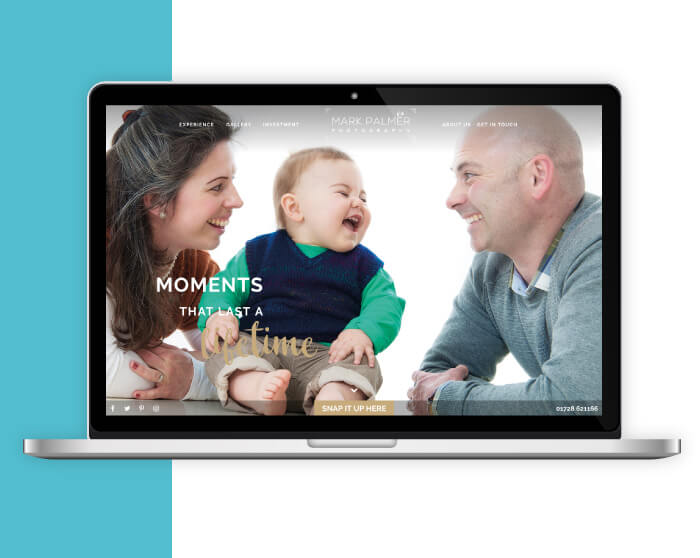
Family team Mark, Mardie and Robert Palmer together run East Anglia’s leading boutique portrait studio, Mark Palmer Photography. Mark opened his first studio in the 1980s in converted stables behind his grandparents’ business in Saxmundham, wanting to move away from dull staid portraiture and create images that he and Mardie wanted to hang on their walls. Mark Palmer Photography have been going from strength to strength and realised they needed to harness the power of digital marketing to capture a new audience and grow their business.
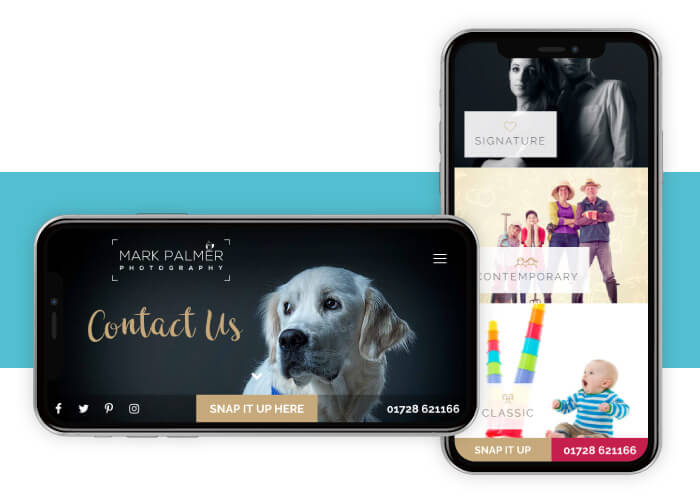
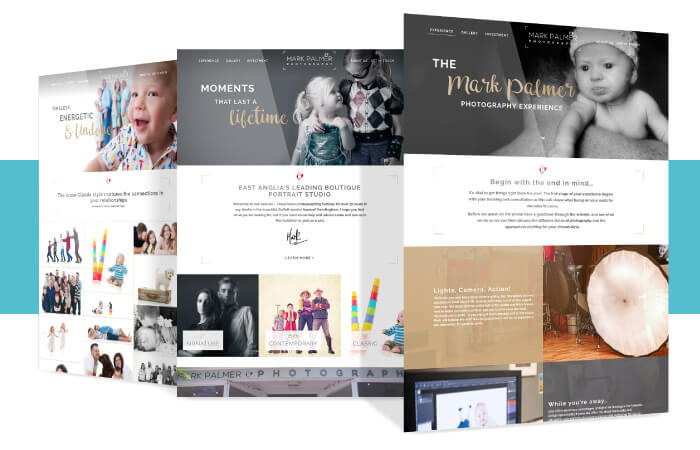
Mark Palmer Photography needed a responsive, easily editable website that could show off their beautiful work whilst at the same time reflecting them as a company. The new website needed to have a real simple design and layout to allow their imagery do the talking. It’s simple, crisp and guides the visitor through their processes seamlessly and encourages them to place an enquiry – which is exactly what any website should do.
We’re pretty proud of how it turned out, the client loves it and the feedback has been excellent.
Why not take a look www.markpalmerframlingham.co.uk
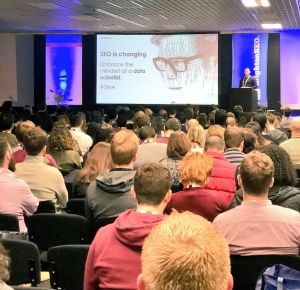
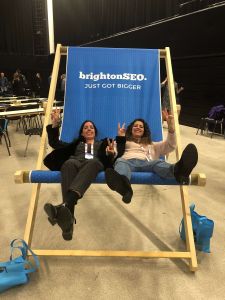
Thousands of digital marketers from around the world arrived for Brighton SEO with the knowledge they would have the privilege to learn and hear from the leading voices in the search marketing industry.
Again Kelvin Newman pulled off another successful and memorable search marketing conference.
It was great to meet, network and share ideas with digital marketing freelancers, executives, managers, CEO’s from agencies and passionate individuals who want to learn more about the industry and best business practices.
Of course, every year attendees love the goodies they get in their swag bags. Thanks to all the exhibitors and sponsors for their contributions.
There were many takeaways from the event, the overall trend is that SEO is still relevant more than ever and SEO will evolve over time adapting to new technologies, machine learning, A.I. and how humans will use the web in their daily personal and business life.
Chris from BrightLocal gave Infotex his summary of the days event:
“Every BrightonSEO is an invaluable source of knowledge and networking for the BrightLocal team, but this April’s conference was especially important for us. We’ve recently relocated to Brighton – and wanted to take this opportunity to really cement our position within the Brighton SEO community. It was great to sandwich the morning and afternoon sessions with a networking session – meeting loads of interesting digital marketers from Brighton, and further afield. We also made full use of having Greg Gifford in the UK – sending our newer recruits to his brilliant training session to brush up on local SEO (and 80s movies).
The sessions themselves were as interesting as ever – with a notable standout from Buzzsumo’s Steve Rayson and Brandwatch’s Giles Palmer exploring social sharing amid the content marketing boom.
It was also interesting to see reputation management gaining even more of the conference’s share of voice. We predict this will be one of the SEO trends most likely to grow in importance over the coming months.
A huge congrats to Kelvin for organising another excellent day – and making such a memorable entrance!”
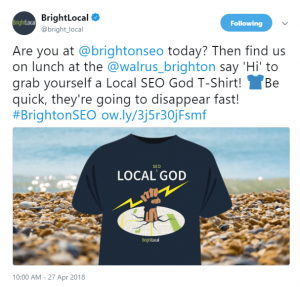
Brightlocals chosen tweet of the day
SEMrush
One of the tools the digital marketing team at Infotex use is SEMrush who gave us the following comment about the conference “We loved it, and as usual, it was a treasury of knowledge and an opportunity to meet with wonderful people”
SEMrush have compiled a detailed slideshare that contains the main highlights of the days conference.
Link Research Tools
I picked up a signed copy of “Spagetti Code” by Christoph C Cemper the founder of linkresearchtools.com for our digital marketing team.

Socialpubli.com
Lucila Rios from socialpubli talked to Infotex about micro-influencers. From socialpubli’s web site they highlight the importance of micro-influencers.
“At SocialPubli.com, we believe that we are all influencers. Today, it’s not just people who have millions of followers who help to win over consumers. It has also been proven that micro-influencers, ordinary people, can be a very important component in a marketing strategy.”
Pinterest is often overlooked as a website to boost your SEO rankings when considering digital marketing strategies. Pinterest is usually regarded as an inspirational site for those interested in food, interior design and fashion, but it’s so much more. If you aren’t using Pinterest, you could be missing out on an opportunity. With over 150 million users that continue to grow, here is your guide to using Pinterest to boost your SEO.
As with all websites and social media platforms, the content you produce needs to be good-quality and tailored to your audience. It’s no different with Pinterest. The backbone of the site is sharing new and unique content regularly. The SERPs monitor how many times a piece of content is shared, liked or re-pinned, so share content that’s unique, relevant or interesting. Pinterest provides a perfect platform to share blog posts, images, or products to help enhance your marketing strategy.
It’s important to make sure your business name is in the account name and username, along with a strong description about your company. Remember to include a number of searchable keywords, but don’t sacrifice quality; make sure it reads well.
Backlinks are an invaluable piece of SEO because search engines generate where your page ranks by considering the number of backlinks that lead people to your website. The more times your pin is viewed, the higher the backlinks to your website. You can even boost your backlinks further by inserting links into the captions of your photos and posts so that another backlink is created each time someone re-pins your image.
The trick behind keywords is finding the balance between not over-using them and using them effectively. Embrace the power of the #hashtag and use keywords in all of the descriptions of your pins. This will help increase your exposure on the web. You should also make sure your images are saved under your chosen keyword. An image won’t rank for “image2320”, but has a higher chance if it’s saved as its exact description.
Take advantage of Pinterest in-house analytics to track and analyse your progress so you can change your strategy in the future if needed.
If you’re interested in SEO strategies for your web design, then get in touch with us and we’d be happy to discuss all things SEO with you.
Every business needs a website, but designing a good website is a complicated business which many people get wrong.
Here is a list of helpful hints to ensure that your web design is exactly what your business needs:

You need to keep your layout simple and uncluttered. If you don’t, your customers will feel overwhelmed and will quickly switch off from your message.

Yes, your brand might have a distinctive colour scheme, but don’t plaster fluorescent colours across your website. No one will stick around to read your site if the background hurts their eyes. This mistake is often compounded by font colours that make reading the text difficult.

Failing to provide a contact number and an email address, or making the information so difficult to find that it might as well not be there is a trap some surprisingly big companies fall into. Don’t let your business be one of them.

Thankfully, this trend seems to be dying out. Even if you have the most original jingle ever, your website is not the place to broadcast it. Adding music to your site makes it take longer to load and will usually irritate more customers than it amuses.

While the layout of your site will make perfect sense to you, test it on people not directly involved in your business before you go live. Your web design needs to make logical sense, or your customers will get bored and find someone else very quickly.

More and more people use their mobiles to access websites. If your site isn’t optimised to take advantage of this trend, your web design will be letting you down in a really big way.

If your website hasn’t been updated in years, then this needs to be looked at urgently. The internet is littered with websites for businesses which are no longer active and you absolutely must make certain that your web design doesn’t suggest your business is one of them.
For expert advice on your web design, contact us today.
If you’ve got a good idea for an offer you want to run and are thinking about launching a pay per click campaign, one thing you’re going to need to do is create an effective landing page. Without one, your PPC campaigns may fall flat meaning you could lose out on revenue. Effective landing pages put emphasis on good design and compelling content writing. Above all else, it needs to grab the visitor’s attention and compel them to complete a conversion.

If the purpose of your landing page is to get people to follow through on your offer, you need to make sure your landing page is as clutter-free as possible. Any unnecessary details will draw attention from your message. If the landing page’s sole goal is to make your visitors convert then do what it takes to make their journey to conversion as easy as possible. If, for example, they need to fill out a form, ensure that you don’t have fields that aren’t needed. Strip everything down to the key elements and make sure it’s aesthetically pleasing. Good use of colour and eye-catching images have a surprisingly big impact. Studies have shown that using reds and greens work well for increasing landing page conversions, but ensure there is a good contrast between the button colour and your background.

If you have been promoting your offer well, through PPC campaigns, social media, Google AdWords and more, it’s highly likely that you’ll be receiving traffic from plenty of sources. Think seriously about customising your landing page for different audiences. It’s possible that a customer that has come to the landing page through Facebook knows a lot less about your offer than someone who is responding to a link in your email marketing campaign.

If your pay per click advertisements are driving your landing page, you’ll want to make sure that your copy is consistent. Repeating language and phrases that are in your PPC ads on your landing page helps to reinforce your message and adds to customer confidence. You need to be making sure that your page matches the advertisements as closely as possible. If your advertisement is about a specific product such as a pair of trainers, don’t send them to the sports clothing section – send them directly to the product they’re interested in.
For more information about how to create an effective landing page, contact the friendly team at Infotex today.
Delivering engaging, innovative content for your business is hard work, especially when you’re trying to sell a product or service. When you hit a creative roadblock it can be hard to know where to start. We’ve come up with some great ideas to kickstart your social media campaign, increase user engagement and build those all-important followers.
If you’re marketing a product, why not encourage your followers to showcase it? Open up a photography or video contest asking people to capture your product with a relevant hashtag. You’ll get lots of user-generated content you can then reuse: perfect for highlighting a new product launch, branding update or special offer!
Giving your followers something extra can really aid in loyalty and engagement. How-to guides are popular, giving customers an insight into your processes and can help your followers engage with your offering on a deeper level. Ask them to share the results of their project once they finish.
Remember Boaty McBoatface? Everybody loves to have their say. If you’re launching something new, hold a Twitter vote to give followers a say on its colour, name or function. They’ll be invested in the new product ready for launch and you’ll gain valuable feedback from the people who really matter.
Trending hashtags are perfect to instantly grab the attention of a whole new audience. You might choose to share some images for #mondaymotivation, have your say on #internationalwomensday or take part in the Ice Bucket Challenge. A little bit of research and your brand visibility can improve in an instant.
If your content is still feeling old, jump on to a platform that’s new to you. Show people around your office with Vine or capture your processes on Instagram. Or have a go at a feature you’ve been avoiding. Facebook Live is perfect for connecting in a meaningful way with your followers. There are new audiences everywhere – all you have to do is reach out to them.
For help planning your social media campaigns, get in touch.
Here at Infotex, we aim to offer the widest possible spectrum of digital marketing services.
You are probably already aware that we offer help with both website design and email marketing, for example. But did you know that certain website design techniques can be applied to marketing emails to improve the chances of recipients responding positively? While an email has a very different format to a website, they both need to be visually appealing and useful in order to succeed. Ergo, the techniques that are used to create one can often be applied to the other. In today’s blog, we’ll look at the website design techniques and strategies that can be deployed in your best email marketing campaigns.

Black-and-white textual emails are suitable for ordinary communication, but they aren’t very well adapted for marketing. In order to grab your recipients’ interest, you should utilise colour, just as you would on your website. Adding colourful, visual elements to your emails makes them more aesthetically engaging and encourages recipients to devote more time to reading them. What’s more, you can deploy the colours that you use across your business to reinforce your brand.

In addition to deploying an attractive colour scheme, you should also consider using images in your marketing emails. Images are very effective at drawing recipients in simply because, when people see an image, they instinctively want to understand what it’s about. An image can intrigue a viewer by making them consider its context. Including images on a web-page encourages visitors to read the text. Similarly, including them in an email increases the likelihood that it will be read thoroughly.

An important part of designing a website is ensuring that your viewers don’t become overwhelmed by data. Every well-designed website utilises areas of white-space so that viewers aren’t confronted with a solid wall of text and images. Emails should use white-space in the same way. Nobody wants to open a marketing email and see a solid block of text or images, so give your recipients some breathing room. This will make it easier for them to absorb your email’s contents and may encourage them to act on what they read.
If you need further assistance with either website design or email marketing, get in touch with us today. We’re always eager to help.
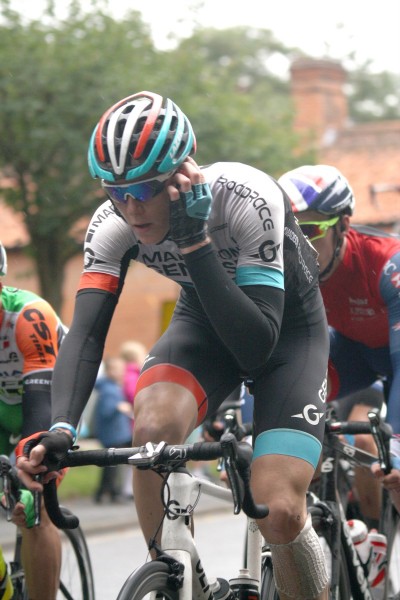
On the 8th of September 2017, the race speeds through our county of Suffolk, from Newmarket to the finish line in Aldeburgh. We have always loved the race at Infotex – the cyclists pass our offices and last year for the Women’s Tour we were out on the road cheering them on.
This year in 2017, we had the chance to get closer to the event, and become even more of a participant. Suffolk Coastal District Council, together with the fantastic marketing company The Bridge, approached us to become a sponsor of their Taste of the Tour campaign, a campaign which supports the Tour itself by engaging with the community and local businesses through bike trails, family activities, and encouraging local food businesses to give a ‘taste of the tour’ by coming up with menu specials and special events.
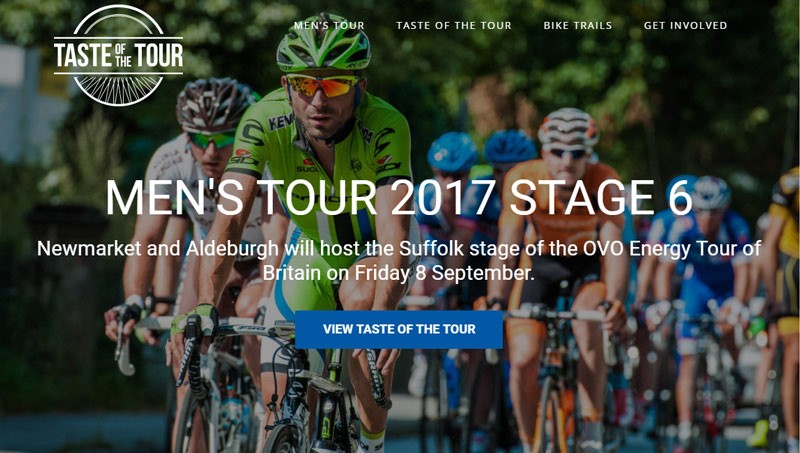
Infotex is always keen to contribute to events that benefit the local community, especially an event such as this which promotes local business, family activity, wellbeing and engagement. Through consulting with Suffolk Coastal District Council we were delighted to be offered the opportunity to produce a unique logo for The Taste of the Tour, and building them a website which encourages engagement and participation in the campaign.
Our design team worked on a logo that incorporated the spokes of a bike within a strong stamp brand, and created a website with stunning visual scenes of our beautiful local area, together with clear information on local activities and events.
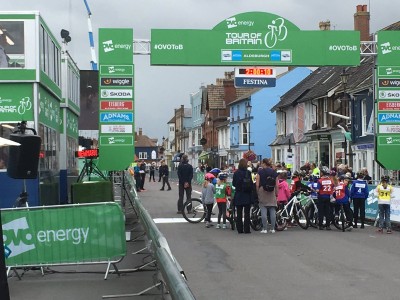
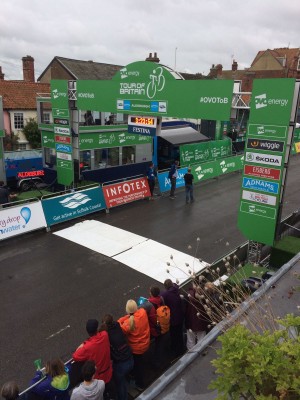
It was really pleasing to see the momentum grow with the Taste of the Tour, with more companies joining up to take part along the way. The culmination, of being at the finish line waiting for the cyclists to hurtle through the High Street of Aldeburgh, felt truly exciting. The kids from the local primary in Aldeburgh had their own mini race which was really delightful. People from the whole area were lining the streets – whole area was buzzing with excitement.
We were so pleased to be working with Suffolk Coastal District Council on Taste of the Tour, and we look forward to going on Tour next year! We are also please that they delighted with the results [get quote], and we look forward to working with them in subsequent years to build and celebrate the Tour of Britain with The Taste of the Tour campaign.
Cllr TJ Haworth-Culf, cabinet member for Customers, Communities and Leisure, said:
“Thank you to Infotex for putting their hard work and creativity into the Taste of the Tour website.
“The platform allowed us to promote the OVO Energy Tour of Britain in an exciting way and to encourage more people to get involved with the international cycling event.
“We’ve had some great feedback from families taking part in the bike trails and we hope we can build on this success as cycling continues to grow in Suffolk Coastal.”

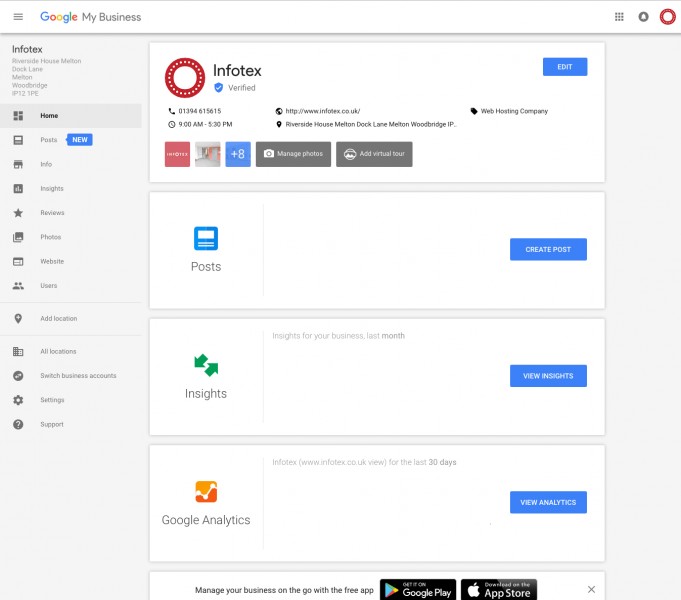
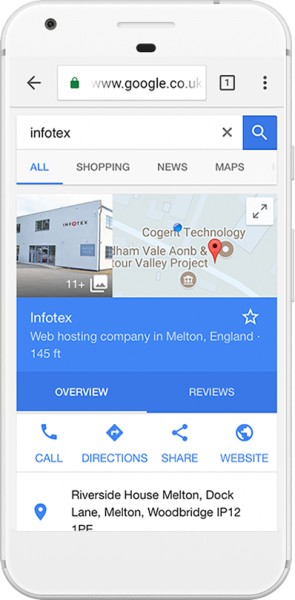
If you haven’t already got a Google My Business listing then what rock having you been living under!? It provides those searching for your business with all the important information they will need such as:
In addition to this, a Google My Business listing is essential to a website’s local SEO, especially those searching using local terms. Fully optimising your listing could help improve how your website ranks organically on Google for a whole array of search terms related to your business.
The best thing of all? It’s completely free!
Posts is one of the latest features to be added and just another reason why your business should be taking full advantage of what a GMB listing could offer.
Recommended Factors to Optimise your Local Ranking on Google
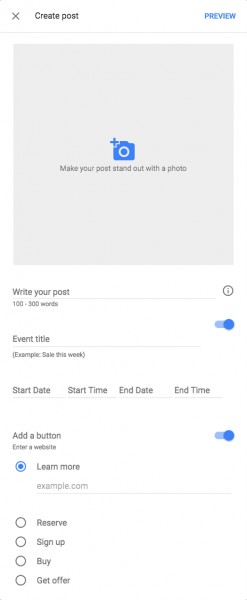
The Posts feature in Google My Business allows companies to post an image with short write-ups accompanied by “calls to action” below in the form of buttons. The variety of opportunities that this gives small businesses to promote their product/service are endless –
Those three examples are just the beginning in how you could use Posts to market your business directly onto the Google search results page. These posts would also expand the size of your listing, a huge bonus due to the hypercompetitive nature of the Google SERP.
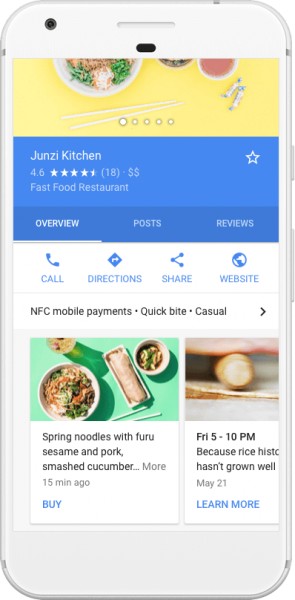
Once setup, there wouldn’t be any extra work involved in posting here if you are already using social media outlets such as Twitter/Facebook. This is the answer to the question “How can I promote my business on Google without spending loads of money?”
If you are interested in setting up a Google My Business (GMB) listing and utilising Google Posts then please get in touch with us and we’d be glad to guide you through the process. Our marketing department have a wealth of experience helping businesses improve their online presence through Google My Business.
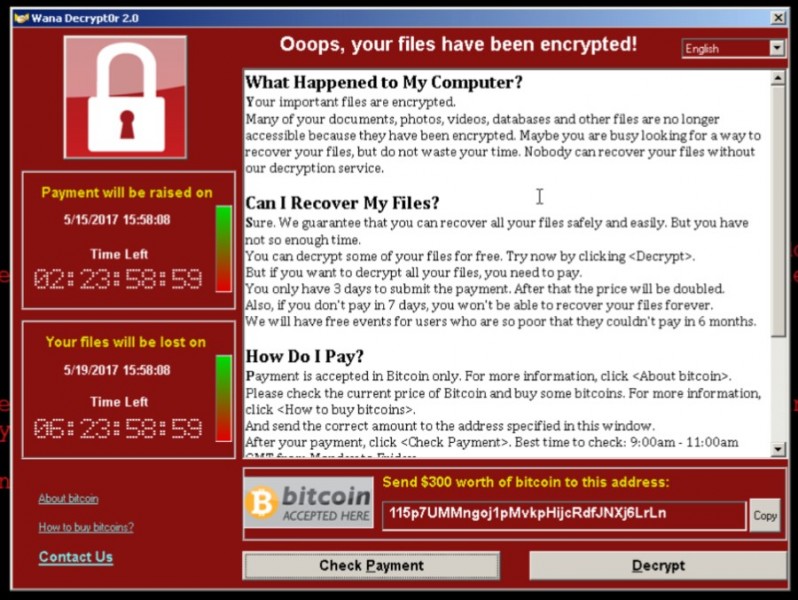
Naturally this raises many questions.
Many of us at Infotex have been in the industry long enough to remember the early days of experimental viruses that were written as a side project to demonstrate the authors expertise and in general not intended to cause mass damage e.g. the Melissa and Nimda worms from early 2000’s.
Sadly this all changed when CryptoLocker was released in 2014. The positive motives of authority and experimentation were replaced by greed and now crime. Suddenly someone had discovered that by encrypting (effectively password protecting) the victim’s documents people could be extorted to pay in order to regain access. By coupling this to the Bitcoin anonymous virtual currency there was a way to extort money without being traced or blocked by law enforcement – a perfect opportunity for the bad guys.
WannaCry is a variant of CryptoLocker. It uses the same cryptography to “password protect” your files that is used on the web for encrypting credit card information. That makes it very difficult to regain access of your files without paying the ransom.
What’s special and therefore dangerous about WannaCry is that it doesn’t just rely on people opening malicious attachments or visiting infected websites. Instead, it just needs access to a computer network. Once in, it spreads like wildfire. It gets in due to a subtle programming problem with Windows file and printer sharing. You will likely have read that the weakness was originally discovered by the USA’s National Security Agency (NSA) who controversially kept it secret for use by them to attack suspects computers. Secrets are all fine until they’re out. This leaked and suddenly all the world’s attackers became aware of the issue before Microsoft did themselves.
Microsoft released a patch to fix the problem in March which should be automatically installed on the majority of computers within a few days however some people, such as the NHS have automatic Windows Updates turned off, may not realise Windows Update is not working properly or are simply running machines too old to receive updates.
The good news is that Windows 10 doesn’t appear to be vulnerable to WannaCry but future variants are likely to try alternative ways, so following good practice is still advisable.
First and foremost, ensure that you have Windows update running and fully up-to-date. Microsoft provides advice how to do this on their website.
Windows Updates are released at least once a month, within the Windows Update program you can view your recently installed updates and should see Microsoft’s “Cumulative Update” that was installed around the 15th March 2017 which provides protection against the bug that WannaCry uses to spread across a network of computers although you can be infected via other means.
If you are running Windows XP, which has been unsupported for a few years now, you should update to a newer version of Windows, however, Microsoft has taken the exceptional step of releasing a one-off update for this issue.
Secondly, ensure your emails and computer in general have a working anti-virus installed. Make sure not to download attachments from emails you don’t recognise.
Thirdly, ensure you have backups which are not accessible on the computer (a zip file of your Documents is no use if it has also been encrypted).
Infotex’s primary website hosting platforms (which hosts over 99% of our client’s websites) runs on servers provided by the Linux operating system which is not affected by this issue so your website hosted by us itself is unaffected. We take security of this platform very seriously and are always happy to discuss measures specific to any client’s environment with them.
Emails processed by Infotex’s Flexidial mail platform has an option, enabled by default, to scan all emails for virus’s and these scanners were updated instantly to protect against email borne copies of WannaCry and will be similarly for future variants. If you want to check that email virus scanning is enabled on your account we’ll be happy to check that for you.
By bringing together developers, sales, marketers, designers, management and support under one roof we have created a vibrant, interconnected environment that will carry Infotex into the next chapter of its 20 year (and counting!) journey.
There’s still lots of work to do to make this new office home, but here’s a few snaps of Riverside House just a few days into the move.

A prominent feature within Dock Lane.
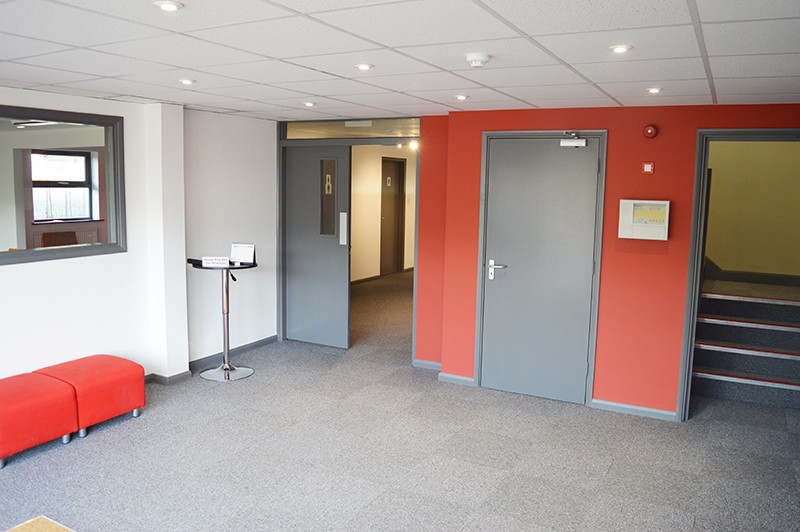
Our foyer, new seating to be installed soon.
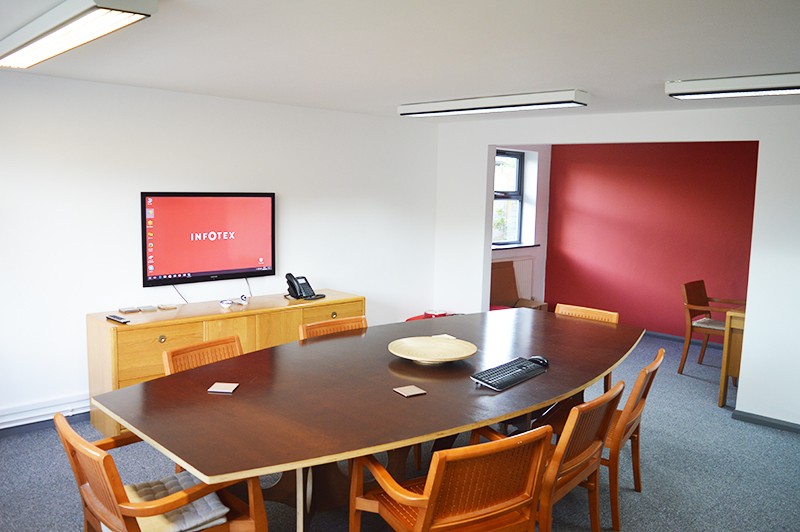
Our board room.

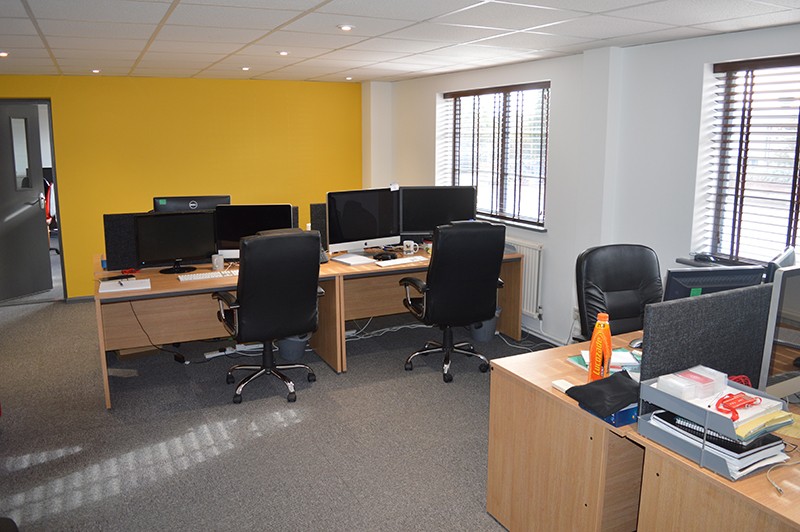
A nice, peaceful home for our development team.
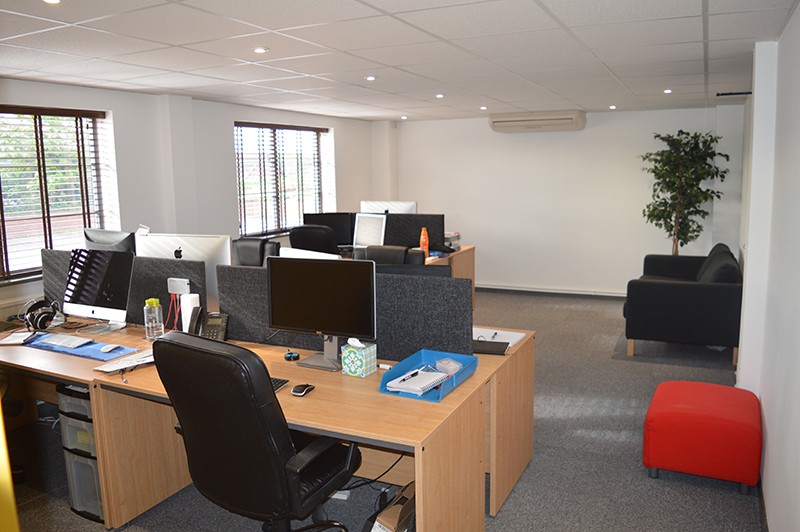
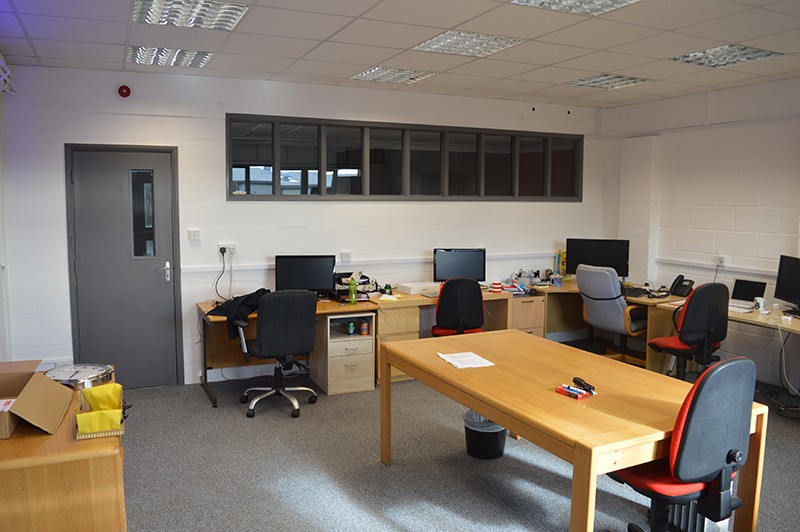
This is our design and marketing room, we have an exciting plan for workbenches to replace these old desks soon.
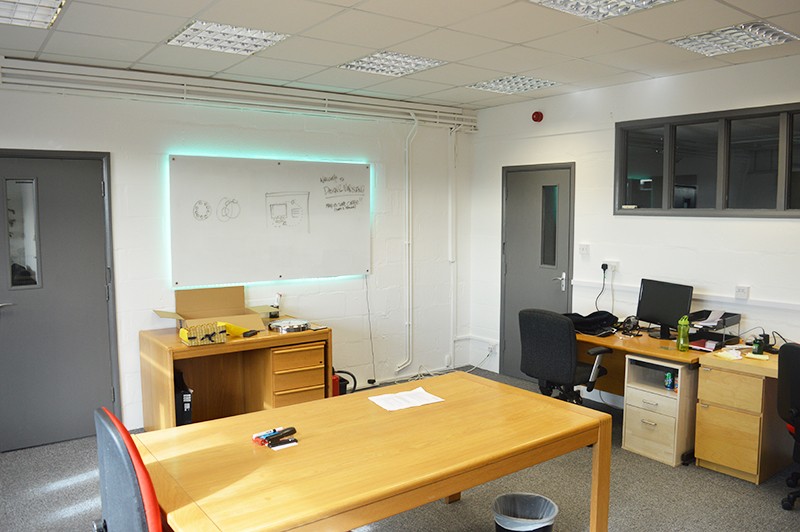


Account management, new desks to be installed soon.
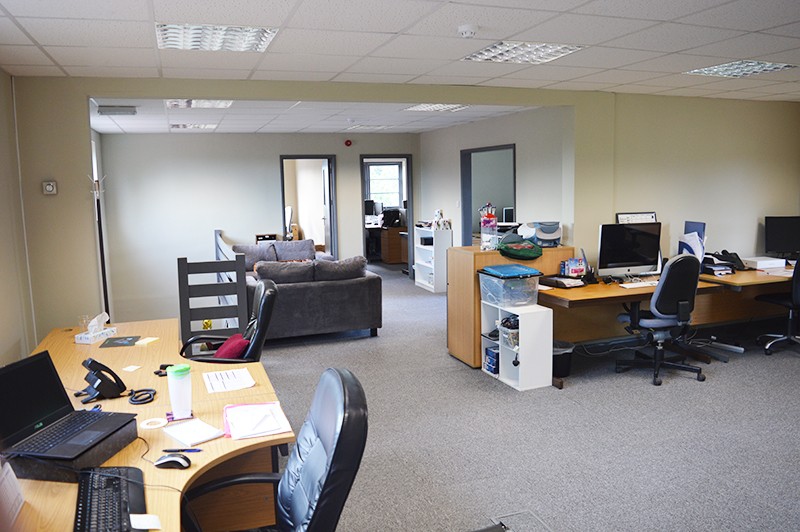
We’re really pleased with our new office, it’s a big step up from where we were before and brings together the Suffolk Infotex team and the Creative Intent team. We’re looking forward to adding our brand to this building over the next few weeks.
More updates to follow!
DOMAIN BREAKDOWN
There are two parts that make up a domain name, the first bit (not its technical name) and the domain extension – the dot com or dot co dot uk – at the end.
There are a massive range of domain extensions available, suitable for virtually every company type known to man. The most common and familiar extensions being .com and .net, through to specific country extensions (also known as country code top level domains – ccTLDs) such as co.uk, and .de, then to the more generic .info and .biz.
Google.com was supposed to be googol.com – a misspelling by a graduate student while checking domain availability was to blame
FORGET DOT COM, GO DOT NINJA!
As there are only a finite amount of .com or .co.uk domain names it is becoming harder and harder for new companies trying to find a suitable domain name. However, there has recently been over 1,400 new extensions released for pre-order opening up a Pandora’s box of possibilities.
These extensions include .shop, .wedding, .hotel and even .ninja! The aim of these new extensions is to more accurately describe your business (though we’re not sure how this works with .ninja…) and vastly grow the range of domains available.
Some other domain extensions that are soon coming available:
It remains to be seen whether all of these new domains will prove to be popular, or go the same way as .info or the distrusted .biz. Registration on some domains would suggest a high uptake. .Berlin received 46,000 registrations within its first month.
For a list of all new GTLD domains click here
The most expensive domain ever purchased was VacationRentals.com – for $35 million in 2007.
The new owner confessed to paying so much just to stop Expedia from purchasing it.
ALL CHANGE FOR .UK
Nominet, the company who oversee .co.uk domain names, have recently announced the release of the shorter .uk extensions. This is happening in the summer of 2014, and brings the UK in line with other large ccTLDs, such as France’s .fr or Germany’s .de.
Existing owners of a .co.uk or org.uk will be offered the .uk equivalent of their current address, with five years to decide whether they want it. Where competition exists (with one company owning example.co.uk and another owning example.org.uk) the .uk domain will be offered to the .co.uk registrant.
DOT BRAND?
In 2012 a registration process was opened to allow brands to begin to register their own extensions. The $185,000 registration fee would deter all but the largest brands, but it may not be long before you see .coke, .heinz or .nike in use.
The most popular country code extension is .tk – the small South Pacific island of Tokelau. The .tk is so popular due to their unique business model of being free.
QUICK TIPS FOR SELECTING A DOMAIN
The first domain registered was symbolics.com in 1985, for the Symbolics Computer Corporation
SHORT URLS
Short URLs (Uniform Resource Locator – this is the full address of a page, not just the domain name) are links that take a long web address and make it shorter. They are popular on social media sites as they make links much more shareable, especially for long addresses.
For example http://bit.ly/LjnWMf redirects to this page
There are various free URL shortening services, such as bitly.com and goo.gl, although it’s increasingly popular to register a short version of your own domain for social sharing. Amazon use amzn.to, the New York Times uses nyti.ms, and the already short BBC.co.uk uses the even shorter bbc.in on Twitter.
If you operate a lot on social media then a small investment in a short version of your domain name can further help with brand building. Ideally we’d like infot.ex, but the .ex extension doesn’t exist. Yet.
DOMAIN VALIDATION
Starting from 1st January 2014, ICANN (they oversee top level domains) are introducing a new process that requires domain owners to validate their contact details via the email address held against their domain. When a domain name is registered, transferred or due to renew domain owners will receive an email asking you to validate the email address. Failure to do so within 15 days will mean the suspension of the domain name, until it has been validated. Validation is simply clicking a link, you should not be asked to enter a username and password or any other details.
LIST OF NEW GENERIC TOP-LEVEL DOMAINS (GTLD)
Please note that not all extensions below will be available for public registration. If you’d like to check availability and release dates of any domain name then please get in touch.
Discover how our team can help you on your journey.
Talk to us today